
Web Design Blog
Why Is My Business Not Showing Up on Google Maps? Busted Myths and Practical Fixes
You’ve spent weeks perfecting your shopfront, but when you pull out your phone to see that satisfying red pin, there’s nothing but a digital void. Or worse, your biggest competitor is sitting pretty in the top spot whilst your business remains invisible. It’s enough to make any owner want to chuck their phone out the window. You’re likely staring at the screen asking, “why is my business not showing up on Google Maps?” and worrying if you’ve been shadowbanned by a mysterious algorithm.
We get it. That knot of anxiety is real when local customers are walking past your door because they simply cannot find you online. It feels like you’re shouting into a vacuum, and the verification process often feels like a never-ending loop of bureaucratic frustration. You deserve to feel proud of your digital presence, not confused by it.
We are going to bust the myths about Google’s “secret” penalties and show you exactly how to reclaim your local presence. You will learn the honest reasons behind your invisibility and the practical fixes needed to land in the Local Pack. We will explore how to manage the three pillars of ranking, relevance, distance, and prominence, so you can finally see more enquiries from local searches.
Key Takeaways
- Learn the crucial difference between a profile that is truly invisible and one that is simply stuck on page five of the local results.
- Stop wondering why is my business not showing up on Google Maps and start a simple audit to ensure your contact details are consistent across the web.
- Bust the common myths about physical shopfronts and keyword-stuffed titles that might be doing your ranking more harm than good.
- Get to grips with how Google balances relevance, distance, and prominence to decide which businesses get that coveted top spot.
- Discover how bespoke website design and clever SEO provide the authority needed to keep your map pin firmly in place.
The Mystery of the Missing Pin: Why You Aren’t Showing Up
Imagine this. You’ve just finished a long day at your shop in Birmingham. You sit down, open your phone, and type in your service. Nothing. You scroll. Still nothing. It’s enough to make you want to bin your laptop. You’re left wondering, “why is my business not showing up on Google Maps?” when you know for a fact you exist. You have a sign, you have customers, and you definitely pay your taxes. So, where is your pin?
The truth is often less about a technical glitch and more about how Google perceives your digital footprint. Landing in the “Local Pack” (those top three results that appear with a map) is the ultimate goal for Birmingham firms. It is the difference between a ringing phone and total silence. Google determines who gets these spots based on what is relevant to the searcher at that exact second. This is where the concept of local search engine optimization comes in. It isn’t just about having a name; it’s about proving to the algorithm that you are the most trustworthy answer to a user’s problem.
Did you know that searching for your own business whilst sitting in your office actually skews the results? Google’s algorithm is incredibly sensitive to your physical location. If you’re standing in your own lobby, Google assumes you already know where you are. It might show you different results than it would show a potential customer three streets away. If you are still scratching your head over why is my business not showing up on Google Maps, the answer usually lies in one of two camps: you are either invisible to the system or simply buried by the competition.
Is Your Profile Actually Verified?
It sounds simple, but you’d be surprised how many owners miss the final step. If your Google Business Profile says “Pending” or “Requires Verification,” you’re effectively wearing an invisibility cloak. Google won’t show a business it hasn’t “vetted” yet. Checking your status is easy. Just log into your dashboard. If you see a red notification or a “pending” label, that’s your culprit. No need to lose your mind; it’s just a bit of digital paperwork that needs finishing.
The “Invisible” vs. “Unranked” Dilemma
There is a big difference between being invisible and being unranked. Invisible means Google literally doesn’t know you exist (usually a verification or indexing issue). Unranked means you’re there, but you’re buried on page five under twenty other competitors. Proximity plays a huge role here. If your business is based in Sutton Coldfield, you might rank brilliantly for locals there, but you could be totally hidden from someone searching in Lichfield. Distance is a ruthless ranking factor, and the algorithm prioritises what is closest to the person holding the phone.
Myth-Busting: What Actually Matters for Google Maps Visibility
Let’s get one thing straight: Google isn’t a fan of the “fake it till you make it” approach. You might have seen some “expert” on a forum telling you to rename your business “Top Rated Electrician Birmingham” to get a quick boost. Don’t do it. If you’re still asking why is my business not showing up on Google Maps, it might be because you’ve fallen for one of these local SEO myths that actually get you kicked off the platform. Google’s algorithm is smarter than a school of dolphins; it knows when you’re trying to game the system.
One of the biggest misconceptions is that you can “force” your way into search results for a city where you aren’t actually located. If your office is in Solihull, you aren’t going to appear in the top results for someone searching in the middle of London. Proximity is a dominant ranking factor that you simply cannot bypass with clever wording. For those wanting to dive deeper into the technical side, these Google Business Profile optimization tips from Semrush are a fantastic starting point for understanding how the algorithm weighs your data.
The Danger of Keyword Stuffing
Adding “Best Plumber Birmingham” to your business title when your legal name is just “Smith & Sons” is a fast track to a profile suspension. Google is currently enforcing stricter guidelines; your profile name must exactly match your real-world signage and legal documents. Instead of gaming the title, use your primary and secondary categories to tell Google what you do. The NAP consistency rule requires that your business name, physical address, and phone number are identical across every website, directory, and social media profile where your brand appears.
Storefronts vs. Service Areas
You don’t need a fancy glass-fronted shop in the town centre to have a map pin. If you work from a home office or run a mobile business, you can set yourself up as a Service Area Business (SAB). This allows you to hide your home address for privacy whilst still appearing for searches in the areas you actually serve. It is a delicate balance between privacy and local visibility, but when done correctly, it keeps you visible to the right people. If the thought of auditing your digital footprint makes you want to hide under the duvet, our team can help you get your local presence sorted without the headache.
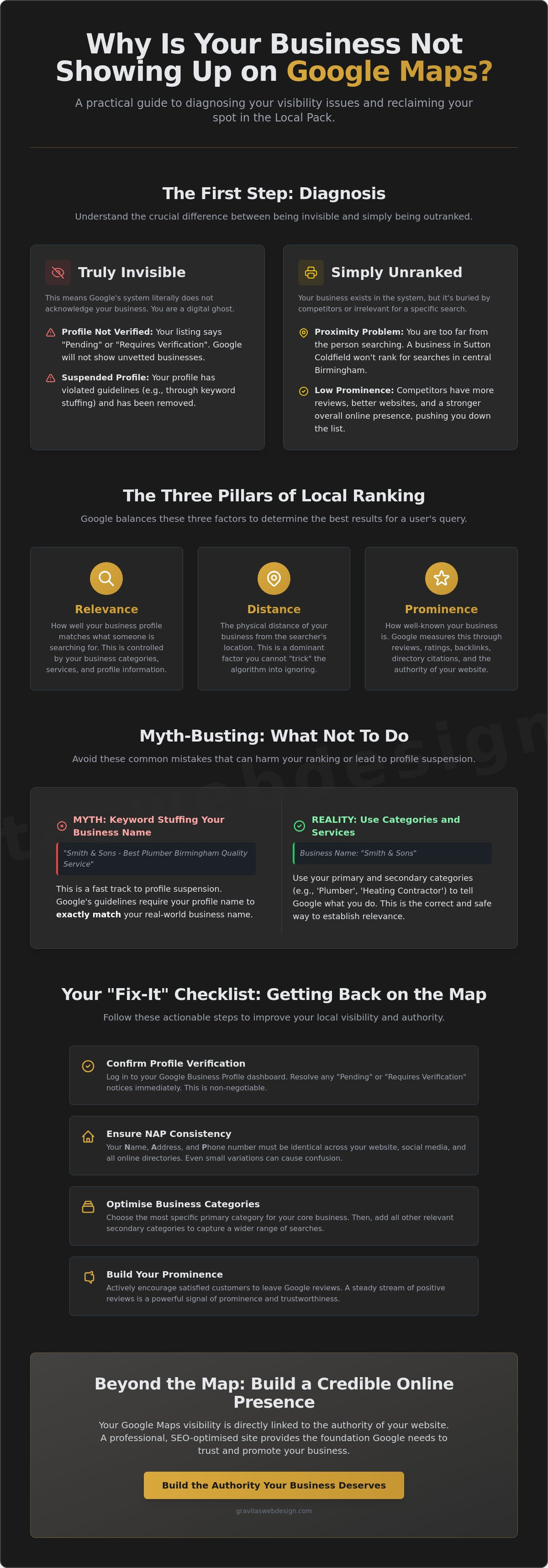
The Three Pillars of Local Ranking: Relevance, Distance, and Prominence
Think of Google’s ranking system like a three-legged stool. If one leg is shorter than the others, the whole thing wobbles and your pin falls off the map. When you’re scratching your head about why is my business not showing up on Google Maps, it’s usually because one of these pillars (relevance, distance, or prominence) is a bit wonky. It isn’t just about existing; it’s about proving you’re the best fit for that specific person at that specific time.
You might find you show up perfectly when someone searches for “Web Design” but vanish entirely when they look for “Logo Design.” Why? Because Google doesn’t think you’re relevant enough for that second term yet. It’s a bit like a librarian who only recommends books they are 100% sure about. If your profile doesn’t explicitly shout about a service, Google won’t risk its reputation by putting you in the top three. You have to be the obvious answer for the searcher’s intent.
Relevance: Beyond the Basics
Relevance is all about the “match.” Google looks at your profile and your website to see if you actually do what the user is asking for. This is why filling out every single field in your profile is non-negotiable. Don’t leave the “Services” or “Description” sections blank; that’s like opening a shop and leaving the windows boarded up. Your website plays a massive role here too. Linking your profile to a high-quality page for bespoke web design Birmingham tells the algorithm exactly where you are and what you’re good at. This direct connection boosts your relevance for local queries and makes it much easier for Google to trust your data.
Distance and Prominence
Distance is the one pillar you can’t really “fix” unless you fancy moving your office every week. Google prioritises results that are physically close to the searcher. However, you can make up for a bit of distance by amping up your prominence. This is your digital street cred. It’s built through a mix of local reviews, which account for approximately 20% of ranking influence according to a report by Boostify 360. Mentions in local Sutton Coldfield news and quality links from other reputable sites also move the needle. If everyone else is talking about you, Google figures you must be worth showing, even if the searcher is a few miles further away. It’s about being the big fish in your local pond so that you stop asking why is my business not showing up on Google Maps and start asking how to handle the influx of new enquiries. And if you’re managing several branches or service areas, our guide to local SEO for multiple locations walks you through how to scale that prominence across every single one of them.
Your “Fix-It” Checklist: Getting Back on the Map
You’ve identified the problem. Now, let’s stop the rot. If you’re still shouting “why is my business not showing up on Google Maps” at your screen, it’s time for a bit of digital elbow grease. This isn’t about magic; it’s about ticking the right boxes to prove to Google you’re a real, reliable business. We’ve seen plenty of profiles that are just one or two tweaks away from the top spot. Use this checklist to audit your presence and reclaim your pin.
- Step 1: Audit your NAP consistency. Your Name, Address, and Phone number must be identical everywhere. If your Facebook says one thing and your website says another, Google gets confused. A confused algorithm is a grumpy algorithm that hides your pin.
- Step 2: Optimise your categories. Pick your primary category with extreme care. It is the most influential ranking factor in your profile. Add secondary categories only if they truly represent what you do.
- Step 3: Upload high-quality photos. Grainy, dark photos from five years ago won’t cut it. Weekly uploads of professional photos showing your work or office signal to Google that your business is active and thriving.
- Step 4: Implement a review strategy. Reviews account for approximately 20% of your ranking influence. Don’t just wait for them to happen; ask your happy customers to share their experiences.
- Step 5: Check your website speed. Most local searches happen on a mobile phone whilst people are on the move. If your site is sluggish or hard to navigate on a small screen, Google will stop recommending your map profile to those users.
The Power of Consistency
Google hates contradictions. If your office number on LinkedIn is different from your Google Profile, the algorithm loses trust in your data. Organise your citations using a simple spreadsheet to track every mention of your brand across the web. This makes it much easier to spot and fix errors. Beyond the technical SEO benefits, professional photos help the “human” side of your business. They build immediate trust with a searcher whilst helping Google understand your physical location better.
Reviews: The Engine of Local SEO
Asking for reviews doesn’t have to feel like you’re begging. Just make it a natural part of your “thank you” process once a job is finished. Replying to every single review, including the rare grumpy ones, signals to Google that you are a healthy, responsive business that cares about its reputation. When customers include specific service terms in their feedback, those keywords in reviews provide additional context that helps Google understand exactly what you offer. Ready to stop being a digital ghost? We can help you get your local presence sorted with a professional audit of your digital footprint.
Beyond the Map: Building a Credible Online Presence
You’ve done the digital elbow grease. You’ve audited your data, tidied your profile, and hopefully, stopped asking why is my business not showing up on Google Maps every time you open your browser. But here is the candid truth: a map pin is just the shop sign; your website is the actual shop. If that sign leads to a clunky, outdated digital experience, you’re essentially ushering your local leads straight to the competition. You want people to find you, but you also need them to trust you once they arrive.
Google doesn’t look at your map profile in a vacuum (it’s smarter than that). It checks your website to see if you’re a credible authority in your field. This is a huge part of seo for service businesses. If your site is sluggish or looks like a relic from the early internet, Google will be less likely to recommend you in the Local Pack. The same principle applies across every professional sector — for instance, practices looking to dominate their local market can learn a great deal from how SEO for law firms in London tackles the challenge of converting organic search visibility into high-quality enquiries. The goal is to move from simply appearing to absolutely dominating your local market in Lichfield or Sutton Coldfield, ensuring you’re the obvious choice for every searcher.
The Symbiosis of SEO and Web Design
There is a direct link between your website’s performance and your map ranking. A broken site or a high bounce rate (where people leave in a huff) tells Google that your business might not be the best answer for the searcher. Bespoke web design ensures your site is fast, mobile-friendly, and built to convert visitors into callers whilst maintaining a professional edge. It isn’t just about looking pretty; it’s about professional confidence. When your website and map profile work in harmony, you build a brand that looks as good as it ranks. It’s about creating a seamless journey from that first click on the map to the final handshake.
Taking the Next Step with Gravitas Web Design
At Gravitas Web Design, we take a human-first approach to local SEO and branding. We know business owners already have enough on their plate without worrying about technical headaches or algorithm shifts. We help firms in Sutton Coldfield and beyond stand out by handling the heavy lifting of Search Engine Optimisation and bespoke design. We don’t just tick boxes; we build digital presences that make you feel proud. It’s time to stop being the best-kept secret in your area and start being the first name people see. We take the awkwardness out of digital growth, so you can focus on running the business you love.
Reclaim Your Digital Territory
Staring at a blank spot on the map where your business should be is frustrating, but it isn’t a permanent sentence. You now know that why is my business not showing up on Google Maps usually comes down to a fixable mix of verification gaps, inconsistent data, or a lack of digital street cred. By tightening up your NAP details and amping up your prominence through genuine reviews, you can turn that invisibility into a local advantage. Remember, your map pin is the signpost, but your website is the engine that keeps it there.
As a founder-led agency based right here in Sutton Coldfield, we specialise in bespoke, high-performance SEO that cuts through the noise. We don’t do corporate fluff or hidden agendas; we offer transparent, jargon-free digital partnerships designed to make you proud of your online presence. You’ve built a business worth finding, so let’s make sure the rest of the world can see it too.
Stop being invisible; let’s get your Birmingham business ranking properly. Your future customers are already searching. It’s time you were the one they found.
Frequently Asked Questions
How long does it take for a new business to show up on Google Maps?
It usually takes a few days to a couple of weeks for a new business to appear after you have successfully verified your profile. Google needs this time to crawl and index your information before the red pin becomes public. If you’ve finished the postcard or video verification and still see nothing, check your dashboard for a “Pending” status, as this is the most common reason for a delay.
Can I show up on Google Maps if I don’t have a physical office?
You can absolutely show up on the map by registering as a Service Area Business. This is the ideal setup for mobile plumbers, cleaners, or consultants who work from a home office but visit clients at their locations. You simply tell Google which towns or postcodes you serve, and they will show your business for local searches whilst keeping your private home address hidden from the public.
Why did my Google Business Profile suddenly disappear or get suspended?
Profiles usually vanish because of a guideline violation or a sudden, drastic change to your core information. If you’ve recently tried to “game” the system by adding keywords to your business name or changing your primary category to something irrelevant, Google might flag it as suspicious. If you are left wondering why is my business not showing up on Google Maps after it was previously visible, check your email for a suspension notice.
Do Google reviews really help my business rank higher on the map?
Reviews are a massive ranking factor and account for approximately 20% of your influence in the local search algorithm. It isn’t just about having a five-star rating; the frequency of new reviews and the specific words customers use in their feedback tell Google you are a prominent and active business. A steady stream of honest feedback builds the “digital street cred” needed to climb into the top three results.
How do I change my business location on Google Maps without losing my reviews?
You can change your location by updating your existing profile settings rather than creating a brand-new one. Simply edit the address field in your dashboard and follow any re-verification steps Google requests. This process ensures your hard-earned reviews, photos, and historical data move with you to your new premises instead of being permanently lost to a deleted account. It’s much safer than starting from scratch.
What should I do if a competitor is using a fake address to outrank me?
You should use the “Suggest an edit” link on their profile or submit a formal Business Redressal Complaint if the address is clearly fraudulent. Google relies on user reports to keep the map accurate and honest. Reporting a “ghost” office or a fake lead-generation listing helps level the playing field for genuine local firms who actually have a physical presence and legitimate staff in the area.
Is it worth paying for Google Maps ads to increase my visibility?
Paying for Local Services Ads can be a brilliant short-term boost to get your name in front of customers immediately, but it doesn’t fix your underlying organic ranking. Think of ads like a spotlight; they work perfectly whilst the power is on, but they don’t build the long-term authority that a solid SEO strategy provides. Most businesses find the best results by using ads whilst simultaneously fixing their organic profile.
Can my website’s SEO affect my Google Maps ranking?
Your website’s SEO has a huge impact on your map ranking because Google uses your site content to verify your relevance and authority. If your site is fast, mobile-friendly, and mentions your local services clearly, it acts as a massive vote of confidence for your map profile. This connection is often the missing link for owners asking why is my business not showing up on Google Maps despite having a verified profile.